
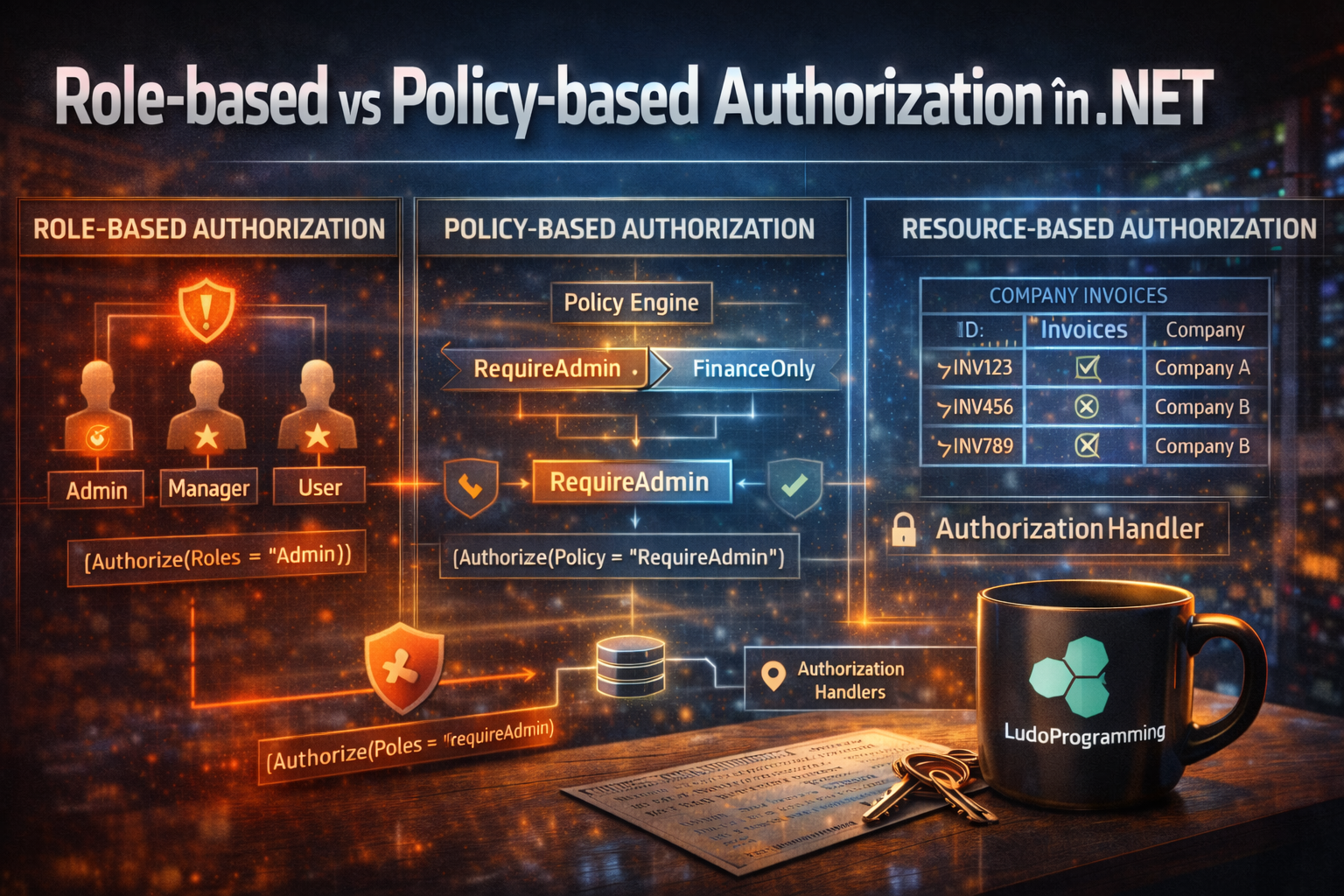
How to properly control access in an ASP.NET Core application
Series: Security by Design in .NET: From JWT to Certificate-based Authentication
Authentication answers the question:
“Who is the user?”
Authorization answers the question:
“Is the user allowed to perform this action?”
In ASP.NET Core there are several ways to implement authorization:
-
Role-based authorization
-
Policy-based authorization
-
Resource-based authorization
Used correctly, these mechanisms can create a very flexible permission system.
🧩 1️⃣ Role-based Authorization
Role-based authorization is the simplest model.
Access is controlled through roles such as:
-
Admin
-
Manager
-
User
-
Moderator
In ASP.NET Core the attribute used is:
[Authorize(Roles = "Admin")]
Example:
[Authorize(Roles = "Admin")]
[HttpDelete("{id}")]
public async Task<IActionResult> DeleteUser(Guid id)
{
await _userService.DeleteUser(id);
return Ok();
}
Only users with the Admin role can access the endpoint.
Multiple roles
[Authorize(Roles = "Admin,Manager")]
The user must have at least one of the roles.
Disadvantages of Role-based
Role-based quickly becomes limited:
Common problems:
❌ too many roles
❌ hardcoded roles
❌ complex business logic
❌ lack of flexibility
Real example:
“The user can edit the invoice only if it belongs to their company.”
Role-based does not solve this.
🛡️ 2️⃣ Policy-based Authorization
Policy-based authorization is much more flexible.
Instead of simple roles, we define security policies.
Configuration in Program.cs:
builder.Services.AddAuthorization(options =>
{
options.AddPolicy("RequireAdmin", policy =>
policy.RequireRole("Admin"));
});
Usage:
[Authorize(Policy = "RequireAdmin")]
Policies based on claims
JWT can contain claims:
{
"role": "Admin",
"department": "Finance"
}
We define a policy:
options.AddPolicy("FinanceOnly",
policy => policy.RequireClaim("department", "Finance"));
Endpoint:
[Authorize(Policy = "FinanceOnly")]
🧠 3️⃣ Resource-based Authorization
Sometimes access depends on the accessed resource.
Example:
A user can only edit invoices of their own company.
This cannot be solved with roles.
The object must be verified.
Example:
public async Task<bool> CanEditInvoice(User user, Invoice invoice)
{
return user.CompanyId == invoice.CompanyId;
}
ASP.NET Core allows integrating this logic into the authorization system.
⚙️ 4️⃣ Authorization Handlers
Authorization Handlers allow custom logic.
We define a requirement:
public class InvoiceOwnerRequirement : IAuthorizationRequirement
{
}
Handler:
public class InvoiceOwnerHandler
: AuthorizationHandler<InvoiceOwnerRequirement, Invoice>
{
protected override Task HandleRequirementAsync(
AuthorizationHandlerContext context,
InvoiceOwnerRequirement requirement,
Invoice resource)
{
var userCompanyId = context.User.FindFirst("companyId")?.Value;
if (resource.CompanyId.ToString() == userCompanyId)
{
context.Succeed(requirement);
}
return Task.CompletedTask;
}
}
Registering the handler
builder.Services.AddScoped<
IAuthorizationHandler,
InvoiceOwnerHandler>();
Usage
await _authorizationService.AuthorizeAsync(
User,
invoice,
new InvoiceOwnerRequirement());
If the check passes:
→ access granted.
🧱 Recommended Architecture
In enterprise applications:
✔ Role-based for general access
✔ Policy-based for rules
✔ Resource-based for objects
Example:
Admin → general access
Policy → FinanceOnly
Resource → invoice belongs to the company
🚨 Common Mistakes
1️⃣ Only roles everywhere
2️⃣ Hardcoded roles in code
3️⃣ Business logic in controllers
4️⃣ No resource ownership verification
5️⃣ Authorization done only in UI
Important rule:
Authorization must be done on the server.
🎯 Conclusion
Role-based authorization is useful for simple scenarios.
But real applications need:
✔ policies
✔ handlers
✔ resource-based authorization
ASP.NET Core provides a very powerful system for this.
If used correctly, you can build an enterprise permission model.

