

How many times have I received this error when trying to access a memory support such as an external hard drive or a memory stick, any external data support?
Well, lately I have faced this problem several times.
If you search on search engines you find many results:
- Google -> over 800,000 results;
- Bing -> returns 600,000,000 results.
But which of these answers is the best for me? Can I solve my problem on my own?
There are two possible scenarios:
- Either the respective support has a logical problem (we breathe a sigh of relief; we have great hopes);
- Or it has a physical problem – call the emergency number of an authorized service and prepare for a "nice" bill.
We will, of course, address the situation where the problem is only logical (for physical ones we have no other solution but to call the specialists in the field). Logical problems are actually corrupted sectors that can no longer be read; these sectors are divided into two: system sectors and data sectors.
From my point of view, if you are not just a simple consumer of internet, documents, music, and movies on the computer, you have a good chance to solve it on your own. If you fit the previous description, call someone who has more experience when it comes to hardware problems of computers.
I can say that so far I have had this problem about 6 times in the last 6 months. I have not become an expert, but at least I have formed an opinion about what can be done and what cannot be done.
One thing is certain: when you receive such an error, the respective support is compromised. The only option is to recover the data stored there.
The second certain thing is that recovery cannot be done 100%.
In all my searches I came across 2 data recovery applications:
- RECUVA
- GetDataBack
Initially, RECUVA seemed like the perfect software. It scanned in a very short time and read almost everything that could be read. The keyword here being "ALMOST".
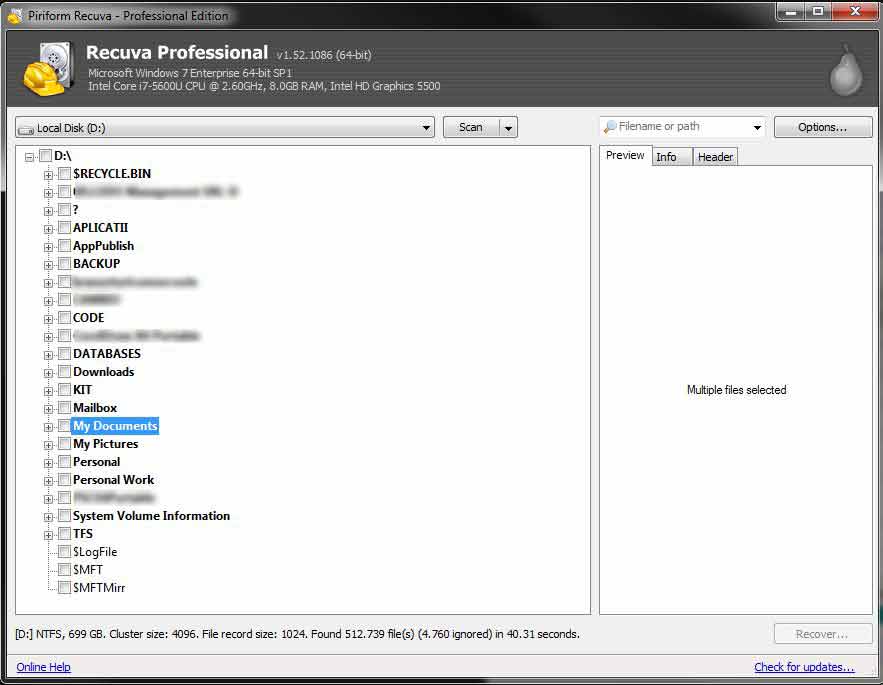
After spending a few good hours and managing to recover a fairly large percentage, I noticed that it still was not able to recover everything I was interested in. Of course, those files that could not be recovered were also the most important ones.
Thus we arrive at the second software: GetDataBack.
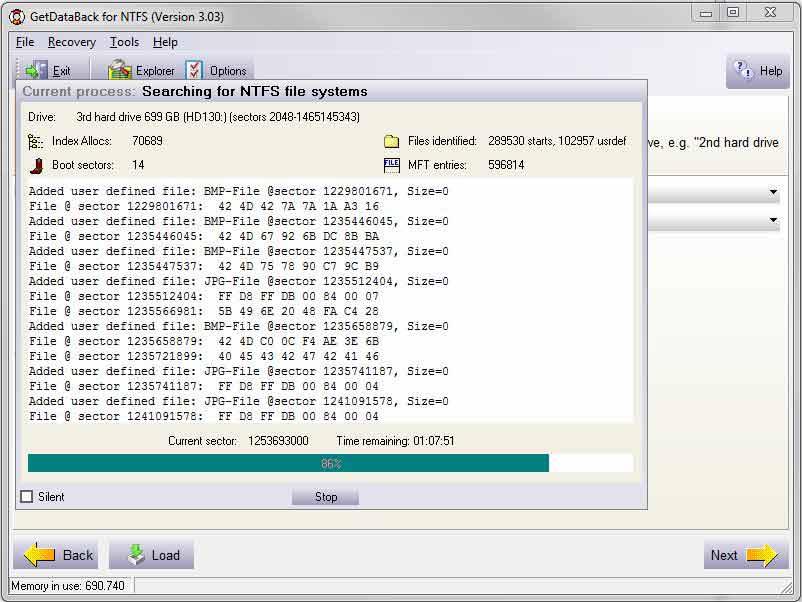
The main inconvenience is that the scanning takes a very long time: for 500-750 GB between 8 and 11 hours. The advantage is that the recovery is done at a fairly high percentage (it seriously approaches 100%).
Of course, opinions vary depending on needs, personal experiences, etc.
The conclusion would be the following: you can try to recover your data yourself, but our advice is to call a specialist.

